How to make an AI film set in your own place, from one photo
AI video tools invent a new background for every shot, so your café looks different in each scene, and it is never your café. Here is how to give Filmlume a photo of a real place and have your story happen there.
By the Filmlume team ·
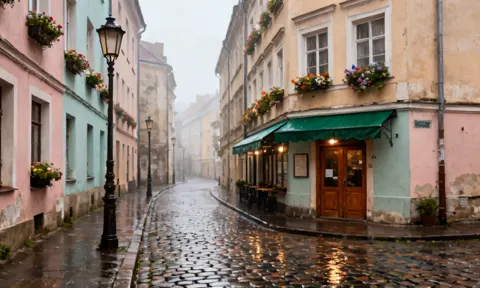
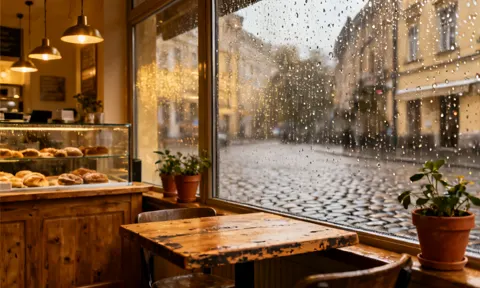
Why your own place matters
A story is people in places. When the place changes from shot to shot, the film stops feeling real: the street gets new buildings, the shop gets a new counter, the living room moves the sofa. And for a business, a family film or a local story, an invented place is simply the wrong place.
How to do it
- Start a Story video and write your story as usual.
- Under the cast, choose + Add a place. Upload a clear photo of the place and give it a short name, such as Cafe or OldTown.
- Mention it in your story with @Cafe, or simply describe the scene happening there.
- Review the plan. Each scene shows which place it uses; you can change it, or choose “No place photo” for a scene set somewhere else.
- Pick quality and sound, check the price and generate.
What Filmlume does with your photo
- It keeps the place: the layout, the buildings or furniture, the colors and the light.
- It films it from the angle each moment needs. A wide shot of the street, then a closer shot by the door: the same place, not a copy of your photo pasted behind the action.
- It puts your characters in it, at a natural size, from your cast photos or designed from the story.
- It redraws it in your film’s style, so a real photo works in a 3D animated film too, as in the example above.
Photos that work best
- A clear, sharp photo in good light, taken at eye level.
- No people in it: your cast will be put into the place.
- One photo per place. A film can use several places, such as a street and the café on it.
- Only photos you have the right to use: your own, or ones you have permission for.
A scene set in one of your places can show up to three characters from your cast photos (the place itself takes one of four reference slots).
Ideas
- Your shop or restaurant as the setting of a short ad, with your product in the cast.
- A family story in your own home or garden.
- A local legend filmed in the real street where it happened.
- A series where every episode returns to the same café, office or classroom.
Try it yourself. New accounts get $1.00 of free credit, no card needed. You see the plan and the price before anything is made.
Set your story in your placeQuestions
Can I make an AI video in a location from my own photo?
Yes. In a Filmlume Story video, choose “+ Add a place” under the cast, upload a photo and give it a name. Scenes set there are drawn in that place, from new angles, with your characters in it.
Is my photo just used as a flat background?
No. The place is redrawn for each scene from the angle the moment needs, with your characters in it and in your film’s style, while keeping its layout, colors and light.
Can a real photo be used in an animated film?
Yes. The place is redrawn in your film’s style, so a photo of a real street works in a 3D animated story.
How many places can one film have?
Several. Places share the cast list (up to 20 photos in all), and the plan shows which place each scene uses.